Facebook Messenger AI chatbot: how to integrate in 6 steps


People expect quick answers now, especially when they reach out on social platforms like Facebook Messenger. That shift has pushed many businesses to bring AI chatbots into the conversation.
Facebook Messenger remains a strong customer communication channel, with more than 1.01 billion active users and up to 80% open rate. AI chatbot integration with Facebook Messenger helps businesses respond faster, handle more conversations, and improve customer support without hiring a much larger team.
Why deploy AI chatbots on Facebook (FB) Messenger?
Your audience is already using Facebook Messenger. With more than a billion monthly users and open rates that far outpace email, the Messenger platform gives businesses a direct and highly visible way to connect with customers.
The challenge is volume. When messages pile up, support teams can fall behind fast. AI chatbots help by handling routine questions around the clock. That gives customers instant help for common requests and frees your team to deal with issues that need judgment, empathy, or deeper expertise.
By deploying an AI chatbot on Facebook Messenger, your business can:
Reduce response times
Provide round-the-clock service
Improve customer satisfaction
Scale support without increasing staff
São Caetano assessoria contábil increased customer service capacity with AI
São Caetano Assessoria Contábil, an accounting firm, was dealing with a heavy flow of client questions, especially during busy periods like tax season.
Its team spent too much time on repetitive tasks such as sending duplicate billing slips and answering basic tax questions. That created bottlenecks, slowed service, and pulled experienced accountants away from higher-value advisory work.
To fix the issue, the firm added an AI-powered automation workflow across its service channels. The AI became the first point of contact, taking care of repetitive inquiries, offering 24/7 support, and routing more complex issues to the right human expert.
That change had a clear impact.
The firm moved past its operational limits, increasing its service capacity by 50% without hiring more staff.
With 100% of conversations receiving an immediate response, the team improved productivity, raised service quality, and delivered a better client experience.
“SleekFlow stood out by bringing together these three pillars: reliability, fast implementation, and a structured and accessible support team. This gave us confidence to migrate without risking our operations.”


Natalia Morellato Alves
Manager
What can an AI chatbot do with Facebook Messenger?
An AI chatbot connects to Facebook Messenger through Meta’s API, which allows it to hold automated but intelligent conversations with customers. In simple terms, here’s what happens:
When a customer sends a message to your Facebook Page, the chatbot intercepts the message.
It processes the language to figure out what the person is asking.
The chatbot provides a real-time response.
This goes well beyond a basic auto-reply. Modern AI chatbots use Natural Language Processing (NLP) to understand context, recognize different ways people ask the same thing, and keep the exchange feeling natural. For the customer, that means faster, more useful help without any visible technical friction. A well-built Messenger bot can make those interactions feel smooth from start to finish.
Key features to expect from a well-integrated chatbot
Not every chatbot setup delivers the same results. If you want strong performance on Facebook Messenger, your chatbot should include these core features:
Natural Language Processing (NLP): Understands everyday language, including slang, misspellings, and phrasing variations.
Automated Responses: Replies instantly to common questions about products, pricing, store hours, and more.
Intelligent Routing: Sends more complicated conversations to the right person or team.
Lead Generation: Qualifies prospects and passes them to sales, helping support revenue growth.
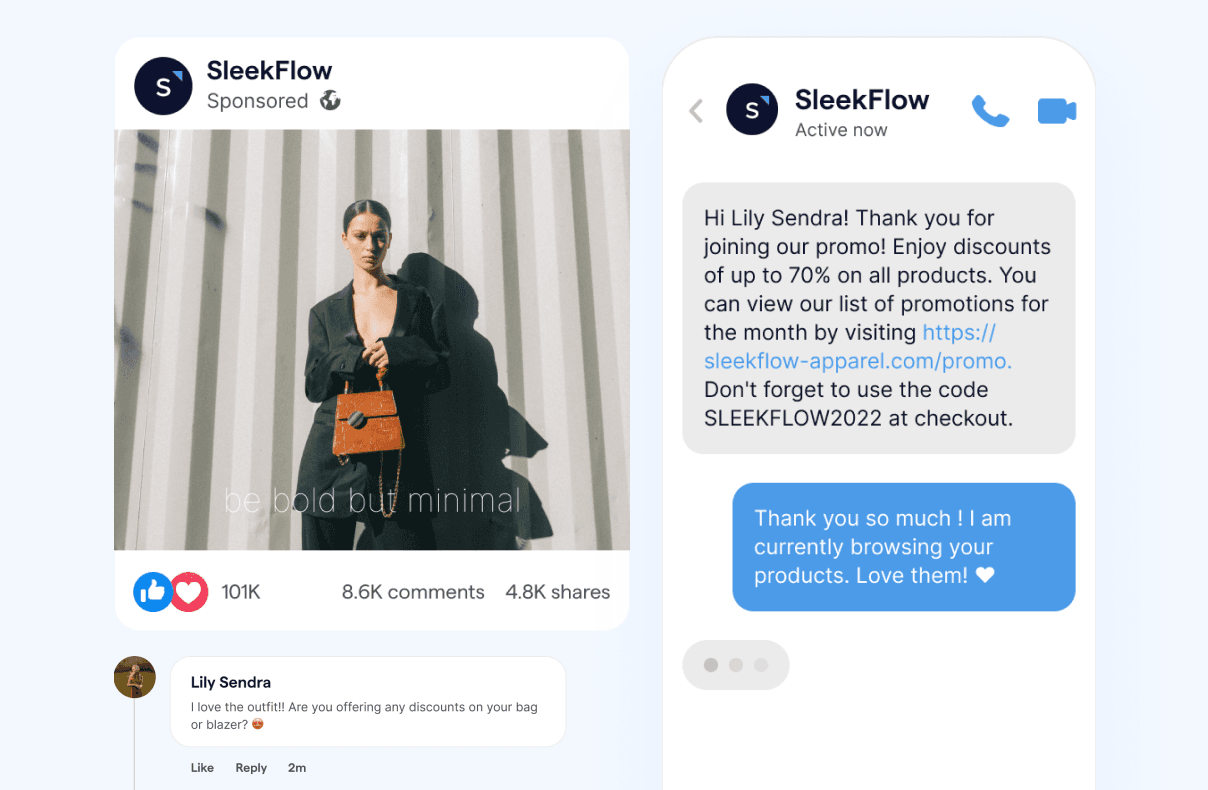
Comment-to-Message Automation: Turns comments on social posts into direct conversations by sending automated offers or follow-ups.
Seamless Human Handover: Transfers chats to a human agent smoothly, along with the full conversation history.
Performance Analytics: Tracks conversation volume, response speed, and resolution rates so you can keep improving.
Before you start: Meta setup checklist
To avoid launch delays, confirm these items before you build flows:
You’re connecting a Facebook Page (not a personal profile) and you have Page admin access.
Business verification (recommended): some businesses need verification to unlock or keep stable messaging access (especially at scale).
Messaging policy planning: design your bot around Meta’s 24-hour Standard Messaging Window.
Human takeover support: if you need longer support follow-ups, Meta documents a human agent approach that allows a human to respond within 7 days of a user’s message (where available/approved).
Escalation + ownership: decide who owns a conversation after handover (team, queue, or named agent) so nothing gets stuck.
Compliance basics: document consent, data retention, and escalation for regulated queries (finance/health/legal).
How to deploy an AI chatbot on Facebook Messenger (6 steps)?
Integrating an AI chatbot with Facebook Messenger is straightforward when you treat it like a launch project: define what success looks like, connect the channel, build flows for your highest-volume intents, train the bot with your real business content, then iterate based on performance.
Step 1: Define the goal and success metrics
Start with one primary outcome so your flows stay focused:
Support: reduce first reply time, deflect repetitive FAQs, improve resolution time
Sales: qualify leads, recommend products or services, book demos or appointments
Ops: handle booking, order updates, and payment-related questions
Pick 3–5 metrics you’ll track (e.g., deflection rate, handover rate, first reply time, resolution time, conversion rate).
Step 2: Prepare your Messenger setup
Before you connect anything:
Confirm you’re integrating a Facebook Page (not a personal profile)
Ensure you have admin access to the Page
Decide what you want Messenger to handle (FAQs only vs. end-to-end journeys like booking and purchase)
Step 3: Connect Messenger to your chatbot platform
Connect your Facebook Page via the platform’s authorization flow. Once connected, configure:
Welcome message and fallback message
Basic routing rules (who owns conversations, when to escalate)
Any Messenger-specific settings you plan to use (menus, comment-to-message, etc.)
Step 4: Build the core conversation flows
Launch with 3 priority flows that cover most volume:
FAQ resolver: shipping or returns, pricing, hours, policies, status checks
Lead qualifier: collect intent and key fields (budget, timeline, use case) and route to sales
Handover branch: escalate sensitive/high-value queries to a human with full context
Keep paths short, use quick replies where possible, and always include a clear “Talk to a person” option.
Step 5: Train the AI with your business knowledge
Your chatbot is only as accurate as its source content. Train it with:
FAQs and help articles
Product and service descriptions and plan differences
Policies (returns, refunds, privacy)
Operational rules (delivery coverage, lead times, booking rules)
Set a lightweight update routine:
Monthly review for fast-changing items (pricing, promos, availability)
Quarterly review for evergreen info (policies, positioning)
Step 6: Test, launch, and optimize with real conversation data
Before going live:
Test your top intents with multiple phrasings, including typos and slang
Test edge cases (angry customers, ambiguous queries, repeated questions)
Confirm human handover works (agent sees context; customer doesn’t repeat)
After launch:
Review transcripts weekly at first, then monthly
Expand coverage based on the top unanswered questions
Tighten routing or escalation rules as you learn what should stay automated vs. human-led
With these six steps, you can launch a Messenger chatbot that’s accurate, easy to use, and ready to scale.
Meta's privacy, compliance, and platform limits
If you plan to deploy a chatbot on Meta’s platform, you need to follow its rules carefully. Violations can lead to messaging restrictions or limited capabilities. Here are the main points to know:
The 24-hour Standard Messaging Window: You can send messages within 24 hours of a user’s last message. Messages within this window can include promotional content under standard messaging.
Updates outside the 24-hour window: Meta has deprecated legacy message tags like CONFIRMED_EVENT_UPDATE, ACCOUNT_UPDATE, and POST_PURCHASE_UPDATE. Use Utility messages (template-based) for order/account updates and appointment/event reminders instead.
Human support extension: For support escalations, the human_agent feature allows a human agent to respond within 7 days of a user message (where enabled/approved).
Marketing messages (separate capability): Marketing messages can be sent outside the 24-hour window under Meta’s Marketing Messages capability and requirements (and user replies can reopen a 24-hour window).
Data privacy and regulations: You still need to comply with applicable laws (e.g., GDPR/PDPA/LGPD), including transparency, consent (where required), and secure handling of customer data.
API rate limits: Meta restricts API usage (limits vary by endpoint/message type), so your chatbot platform needs to handle spikes and retries safely.
Policy enforcement & Page restrictions: If your Page violates policies, Meta may restrict its ability to send messages and provide guidance on resolving the restriction.
Common challenges and how to overcome them
Facebook Messenger chatbot projects often run into a few predictable issues. Here’s a practical look at the most common ones and how to deal with them:
Train your chatbot to provide accurate answers
Your chatbot can only work with what it knows. If you want reliable answers, you need to train it with accurate, complete, and current information.
Here’s how to build a strong foundation:
Create a comprehensive knowledge base: Include FAQs, product and service details, pricing, policies, processes, and contact information. The more specific and complete the information, the better the responses.
Structure information clearly: Use short paragraphs, bullet points, and logical topic groupings so the AI can understand and retrieve information more effectively.
Keep the knowledge base current: Update your chatbot whenever products, pricing, or policies change. Monthly or quarterly reviews can help keep everything accurate.
Use real customer questions: Review past chats and support tickets to identify the questions people ask most often, then build your training content around them.
Strong training helps your team manage Messenger conversations more effectively and deliver answers customers can trust.
Human handover and escalation paths
A good chatbot knows its limits. When a conversation needs a human, the handoff should feel smooth, not frustrating.
A few best practices make a big difference:
Defining escalation triggers: Set clear rules for when the chatbot should transfer the conversation, such as when a user asks for a person, when the bot fails to answer after several tries, or when the issue is sensitive or high value.
Passing on context: Human agents should receive the full chat history so the customer does not have to repeat everything.
Setting expectations: Let the customer know a transfer is happening and, if possible, share an estimated wait time.
Keeping help accessible: Make it easy for users to reach a human at any point, even inside automated flows.
Best practices for Facebook Messenger chatbot performance
A Messenger chatbot is not something you launch once and forget. The best results come from steady review, testing, and improvement.
Here are the best practices to follow:
Regularly review conversation flows: Audit chatbot interactions at least every quarter to spot outdated information and uncover new customer behavior patterns.
Personalize responses: Use customer data, such as purchase history or previous interactions, to make replies more relevant and engaging.
Analyze chat data: Review chat logs to understand customer questions, pain points, and trends. If you connect that data to your CRM, you can sharpen both service and marketing efforts.
Balance automation and human support: Let the chatbot handle repetitive, high-volume questions, but route nuanced or sensitive conversations to people.
Test all changes: Before you roll out updates, test them internally to catch issues early and protect the customer experience.
Done well, this approach can also help reduce customer service costs while improving response quality.
Choosing the best AI chatbot for Facebook Messenger
Not every chatbot platform is built the same. If you want the right fit for your business, focus on a few practical criteria before you decide.
Ease of integration: Choose a platform with a native, officially supported Facebook Messenger integration, ideally from a Meta partner, to reduce setup issues and improve reliability.
Natural language understanding: The chatbot should rely on strong NLP and real AI capabilities, not simple keyword matching.
Multi-channel support: A platform like SleekFlow that brings together Messenger, WhatsApp, Instagram, website live chat, and other channels in one inbox helps your team preserve context and work more efficiently.
Analytics and reporting: Detailed analytics on response times, resolution rates, and customer satisfaction helps you improve performance over time.
CRM and third-party integrations: Integrations with systems like HubSpot, Salesforce, e-commerce platforms like Shopify, and payment links can turn your chatbot into a stronger sales and service asset.
Scalability: Your platform should support growing message volumes and more advanced workflows as your business expands.
How does SleekFlow stand out as a chatbot solution?
SleekFlow’s AI agent works 24/7 to engage leads, build customer profiles, recommend products, and support transactions. Compared with more limited tools, SleekFlow combines omnichannel messaging, automation, and an easy-to-use flow builder in one platform.
Key features include:
AgentFlow: A proprietary AI engine that businesses can train using their own data.
Flow Builder: A visual tool that helps teams control chatbot behavior while keeping conversations aligned with brand standards and compliance needs.
For businesses that want to turn Facebook Messenger into a true revenue and service channel, SleekFlow brings together the tools, integrations, and intelligence to make that possible. If you're looking for a scalable chatbot with Facebook Messenger capabilities, it offers a practical path forward.
Real-world examples: How businesses automate Facebook Messenger with SleekFlow
1. EGL Tours increased Facebook campaign enquiries and grew sales with chat automation
EGL Tours saw online enquiries surge as they expanded across platforms like Facebook, Instagram, and YouTube. With customers messaging through multiple channels and outside office hours, the team struggled to keep up, risking lost bookings due to delayed replies.
To solve this, EGL Tours used SleekFlow to integrate their Facebook Page alongside WhatsApp, then automated “comment-to-get-offer” Facebook campaigns. When users commented on campaign posts, SleekFlow auto-replied with key details and a direct booking link; more complex enquiries were routed to the right channel and staff for follow-up.
That change delivered measurable outcomes:
A Cathay Pacific “buy one, get one free” Facebook campaign generated 3,000+ enquiries and achieved a 10%+ conversion rate.
The team reduced response delays, saving up to 2 working days previously spent manually sorting and handling messages.
Since adopting SleekFlow, EGL Tours reported 30% overall sales growth.
It's not just about better promotions; it's about really understanding what works. With SleekFlow, we can see how effective our campaigns are, gauge customer interest, and improve our sales strategies. It has given us the confidence to push our marketing further and has significantly driven our business growth.


Henry Lee
Head of Marketing & PR, EGL Tours Hong Kong
2. Ola Tech reduced response time by 50% and boosted sales by 20% with support from SleekFlow
Ola Tech wanted to support customers across multiple social channels without switching between tools. With support from SleekFlow, they unified conversations from channels including Facebook Messenger, WhatsApp, and Instagram so the team could respond faster and keep service consistent as they scaled.
To reduce repetitive work, Ola Tech used SleekFlow features like quick replies and keyword-based auto-replies to handle common questions more efficiently. They also strengthened chat-led marketing and customer outreach through messaging, helping conversations convert more reliably into purchases.
That change delivered clear outcomes:
50% reduction in response time after implementing quick replies and automation with SleekFlow.
20% sales uplift attributed to chat marketing activities through messaging.
A stronger foundation for scaling support across channels without sacrificing speed or consistency.
SleekFlow is suitable for B2C companies as they face a large number of customers. The automation that SleekFlow does allow them to streamline workflow in their daily operations.
Eric Pong
Co-founder and COO

Want to outcompete your peers with SleekFlow's help?
Book your personalised demo with SleekFlow today and unlock the potential of seamless communication