Send Bulk Messages on WhatsApp Without Getting Banned

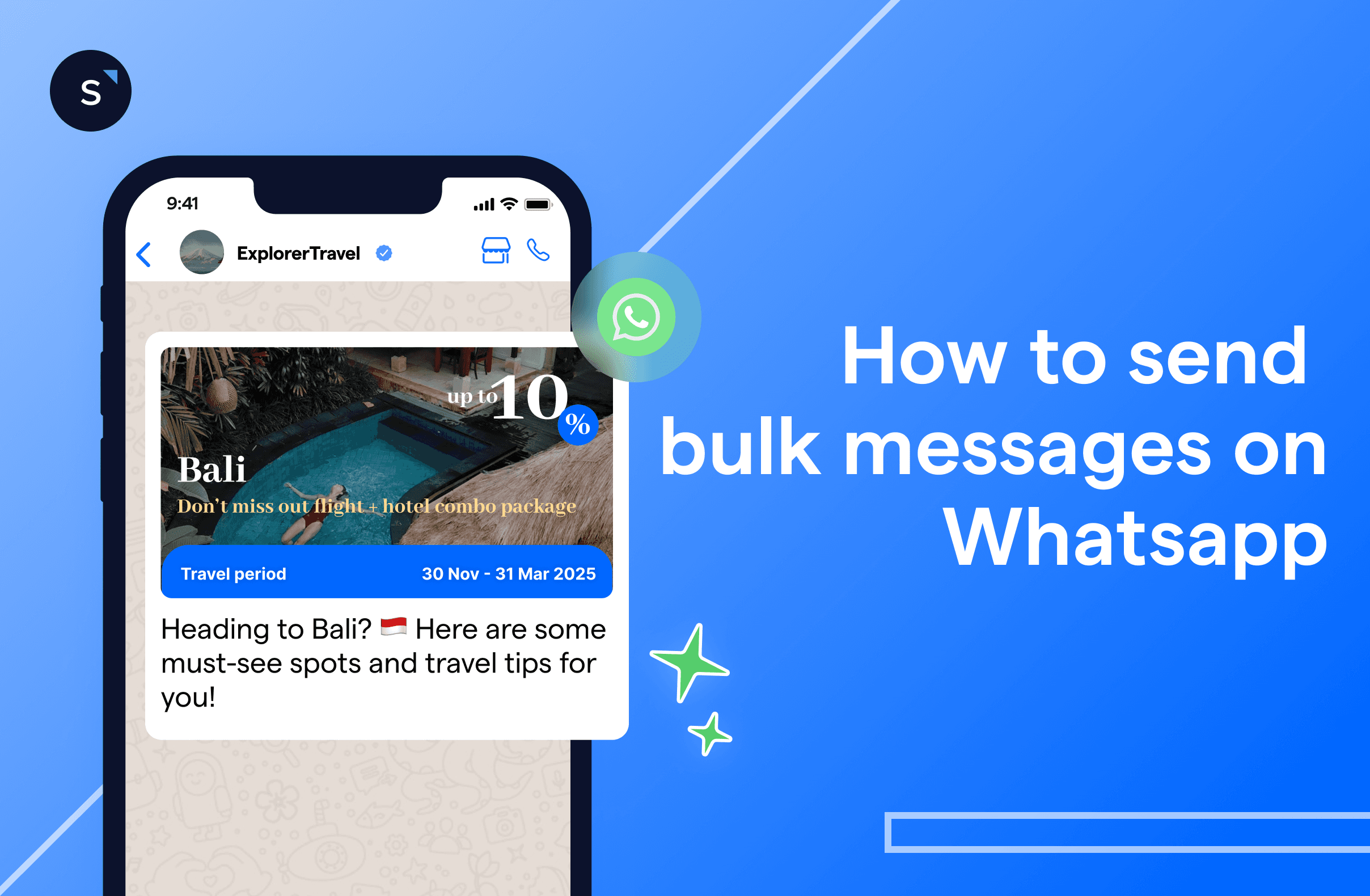
Sending bulk messages on WhatsApp can help businesses reach their customers en masse. Businesses can choose from either a free or paid WhatsApp solution to send bulk messages: the free WhatsApp Business App or the paid WhatsApp Cloud API.
What is WhatsApp mass message?
WhatsApp mass messaging, also known as WhatsApp bulk messaging, refers to marketing campaigns where businesses send the same message to a large group of customers or clients. This feature is perfect for:
Announce a big sale
Promote a new product
Share important updates
WhatsApp bulk messaging allows you to reach a wide audience quickly and efficiently.
Why should businesses use WhatsApp mass messaging?
With WhatsApp bulk messages, businesses can send a single message that is delivered to multiple recipients at once. This saves time and effort compared to sending individual messages to each customer. WhatsApp mass messaging campaigns offer several key benefits for businesses, including:
Direct, personalized communication: WhatsApp allows businesses to connect with customers on a personal level, fostering stronger relationships and engagement.
High engagement rates: WhatsApp messages have an impressive open rate of up to 98% far outpacing traditional email marketing, which typically sees a 21.3% open rate.
Rich media sharing: Businesses can easily share various content types, such as images, videos, and documents, enhancing the message's appeal.
Immediate communication: WhatsApp messages are delivered instantly, making them ideal for time-sensitive promotions or announcements.
Opt-in model: Users must opt in to receive messages, ensuring that businesses are reaching an interested and high-quality audience, which often leads to better conversion rates.
How Pristine Aroma achieved massive engagement with SleekFlow’s WhatsApp API
Pristine Aroma, a Singapore-based fragrance brand with a presence in multiple countries, struggled with stagnating engagement through traditional email marketing.
Low email open rates and poor ROI, combined with fragmented communication channels, caused inefficiencies in customer engagement and operational challenges.
Pristine Aroma implemented SleekFlow’s omnichannel platform, consolidating WhatsApp Business API, Facebook, and Instagram into one interface integrated with their Shopify store.
A targeted WhatsApp campaign delivered a 13X return on investment.
The campaign achieved a 56% open rate and an 18% conversion rate.
By centralizing communication and automating workflows, team efficiency increased by 90%.
Find out how to successfully request consent from your customers to prevent your account from getting blocked by uninterested customers.
How to start sending WhatsApp bulk messages
Sending broadcast messages for your bulk WhatsApp marketing is an effective way to save costs and time. This is how you can start:
1. Create a WhatsApp Business Account
To use the WhatsApp Business API to send bulk messages,you'll first need to get set up. Here's what you need to do:
Choose a WhatsApp Business Solution Provider (BSP): Find an official BSP, like SleekFlow, to help you get started.
Verify your Facebook Business Manager account: Make sure your business account is verified.
Register a new phone number: You'll need a phone number that hasn't been used with WhatsApp before.
Set up the API: Your chosen BSP will then help you set up the API.
2. Segment your Audience
Once your WhatsApp Business API is in place, you can start to think about who you want to send messages to.
Segment your audience: Divide your contacts into groups based on demographics, interests, or past interactions. This allows you to send more targeted and personalized messages.
Obtain consent: Ensure you have permission from your segmented contacts, especially if you’re sending promotional content.
Offer opt-out options: Always provide an easy way for contacts to opt out of future messages. This helps maintain a positive reputation and prevents user frustration.
3. Craft your bulk message and set WhatsApp template
Think about the messages you want to send. Focus on crafting messages that are:
Valuable
Relevant
Not overly promotional
When creating your message, avoid:
Excessive emojis
Excessive capitalization
Misleading information
Set this message as a WhatsApp template and wait for meta’s approval.
4. Send bulk messages and monitor engagement
Once the message template is approved by meta to be sent. You can create a WhatsApp broadcast campaign.
Send messages at appropriate times. Avoid sending them late at night or during hours when people are less likely to be active on their phones.
Monitor your campaign's performance. After launching your broadcast, keep a close eye on how recipients are interacting with your messages. If you notice low engagement, it might be a sign that your content isn't hitting the mark and needs a refresh.

Want to outcompete your peers with SleekFlow's help?
Book your personalised demo with SleekFlow today and unlock the potential of seamless communication
7 Tips for creating the right WhatsApp message templates
Here are some tips to create an engaging WhatsApp message templates that can capture attention and drive action:
1. Keep it concise and clear
WhatsApp messages have limited space, so make sure your message is to the point. Avoid long paragraphs and ensure your call-to-action (CTA) is visible.
Example: "Hey [Name], check out our latest offers! Click here to explore: [link]"
2. Use a friendly tone
WhatsApp is an informal platform, so use a conversational tone to make your messages feel more personal and approachable.
Example: "Hi [Name]! We’ve got something exciting for you. Tap here to see what’s new!"
3. Personalize with variables
Adding a personal touch, like the recipient’s name or purchase history, makes the message feel more relevant and increases engagement.
Example: "Hi [Name], we noticed you liked our [product]. Here’s a special discount just for you!"
4. Include a clear CTA
Always include a clear CTA, whether it’s to browse a product, sign up, or contact you. Make sure the CTA is easy to find.
Example: "Click here to get your discount now: [link]"
5. Segment your audience
Segment your audience based on their preferences, past interactions, or purchase history, and tailor your message templates accordingly.
Example: "Hello [Name], as a loyal customer, enjoy free shipping on your next purchase!"
Explore how market segmentation can benefit your business in our latest blog.
6. Provide Value
Offer tips, tutorials, or exclusive content to keep users engaged beyond just promotional offers.
Example: "Hey [Name], here’s a quick guide on how to make the most out of your new [product]! Read here: [link]"
Sending bulk messages: WhatsApp Business App vs. WhatsApp Cloud API
WhatsApp Business is a free version of the popular app, designed for small businesses to communicate with their customers, and it has specific tools for this purpose. However, this version has limitations, that’s why it is recommended only for small businesses.
For medium and large companies that send and receive a high volume of messages per day, there’s a need for more advanced features. For this reason, WhatsApp introduced WhatsApp Cloud API: a special service that businesses can use to make WhatsApp work better for them, including efficient management of customer messages and automation of tasks.
WhatsApp Business app for bulk messages

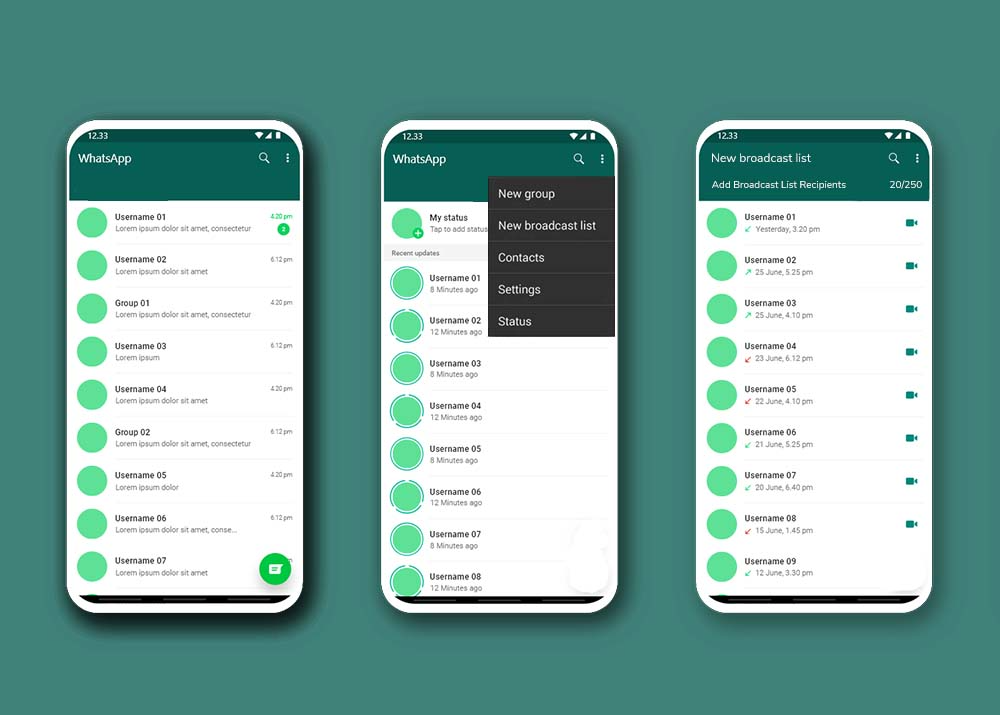
You can send WhatsApp bulk messages free of charge on the WhatsApp Business App.
Here are the simple steps you can follow:
Download and install the WhatsApp Business App on your device.
Verify your business number. Ensure that it's different from your personal number.
Create a broadcast list containing up to 256 contacts.
Compose your message and manually customize it for each recipient.
Note: you can only send WhatsApp bulk messages to contacts who have saved your business phone number.
Head over to our guide on WhatsApp Broadcast Messages and discover how to make the most out of them.
Limitations of sending bulk messages on the free WhatsApp Business App
While the free option of bulk WhatsApp marketing messages is enticing, it comes with some limitations:
1. Only 256 contacts
You can only send bulk messages on WhatsApp to a maximum of 256 contacts at a time. If you have a larger customer base, this can be problematic because:
You’ll need to split your contact list into smaller groups.
Multiple broadcasts may be required to reach all your customers.
2. The risk of getting banned is higher
Sending bulk messages from the WhatsApp Business App, to a large number of contacts, could potentially trigger WhatsApp's anti-spam measures.
If WhatsApp detects behavior that appears to be spammy or suspicious, your business account might be flagged, leading to temporary or even permanent bans. This can disrupt your communication efforts and damage your business's reputation on the platform.
Also, if the users fail to recognize your WhatsApp Business number and mark your message as spam, or worse, block your account, you may also get banned by WhatsApp and lose your account forever.
Account banned? Find out how you can revive your WhatsApp Business account and prevent it from happening again.
3. Manual editing of message content is required
Mass messages are sent to multiple recipients, but they appear as individual chats on the recipients' phones. Hence, when you send broadcast messages through the WhatsApp Business App, you'll need to manually customize the message content for each broadcast, i.e. with the recipient's name or specific details. This process can take up a lot of time and might cause inconsistencies if you make errors while editing.
Pearl Holiday sent unlimited bulk WhatsApp messages using SleekFlow’s API
Pearl Holiday, a Malaysian travel operator, relied on fragmented customer outreach methods, which couldn’t keep up with customer preferences for direct communication.
The limitations of the standard WhatsApp Business App hindered mass messaging. SMS campaigns also failed due to high spam perception and lack of analytics.
Pearl Holiday adopted SleekFlow’s WhatsApp Business API, which provided unlimited broadcasting. Features included event engagement via QR codes and advanced analytics.
Reached over 10,000 contacts.
Accomplished a 90% delivery rate.
Achieved an 80% reply rate.
Generated 2,000 new leads.
WhatsApp Cloud API for bulk messages
WhatsApp Cloud API serves medium and large companies better as there is no 256 contact limit for broadcast messages. It also offers advanced tools for WhatsApp mass messaging and Is the cloud-based edition of WhatsApp Business API
How to get the WhatsApp Cloud API?
You can acquire the service through an official Business Service Provider (BSP), likeleekFlow!
Use SleekFlow as your WhatsApp bulk message sender software
Here are some key benefits:
Unlimited broadcast messages
Customize messages using variables such as names and dates, adding a more personalized touch to your communications.
The ability for multiple team members to log into the same WhatsApp Business account, enabling concurrent customer interactions using the corporate WhatsApp number.
Integration with CRMs and other business tools
Access detailed analytics and reporting to track message delivery, open rates, and response rates.
Obtain hassle-free approval for pre-designed Template Messages while adhering to WhatsApp's guidelines.
Official Business Account: Get a blue badge verification for your business, adding credibility and trust.
Create segmented broadcast lists to send targeted messages to specific groups of customers based on demographics, behaviour, or preferences.
Deploy AI Agents with in your WhatsApp chat workflows to score, nuture and qualify your leads 24/7.
WhatsApp bulk message sender service charges from WhatsApp BSPs
When businesses use the services of WhatsApp BSPs like SleekFlow to send bulk messages, there are corresponding costs involved. These fees might be structured based on:
The volume of messages sent
The number of recipients
Other relevant factors
Check out SleekFlow’s pricing packages on our website.
Want to outcompete your peers with SleekFlow's help?
Book your personalised demo with SleekFlow today and unlock the potential of seamless communication
{{__phrase_faq-title__}}
{{__phrase_share-article__}}