Change your WhatsApp Messenger to Business account in UAE


To change WhatsApp Messenger to WhatsApp Business in the UAE, download the WhatsApp Business app, verify the phone number you want to use, restore your chat backup if needed, and complete your business profile with details such as your business name, description, address, and working hours. For small businesses and teams that manage chats manually, the WhatsApp Business app is usually enough. If your business needs automation, multi-agent access, CRM integrations, or scalable customer communication, the WhatsApp Business Platform is the better option.
Let's explore three WhatsApp products, each designed for different users and offering unique features.
Almost everyone in the UAE is familiar with WhatsApp, as it is the most widely used messaging platform in the country with around 8.7–9.2 million users and over 85% population penetration. This messaging app allows users to send texts, photos, videos, voice notes, and location information instantly. All communication on WhatsApp is protected with end-to-end encryption, ensuring that messages and calls remain private between the sender and recipient.
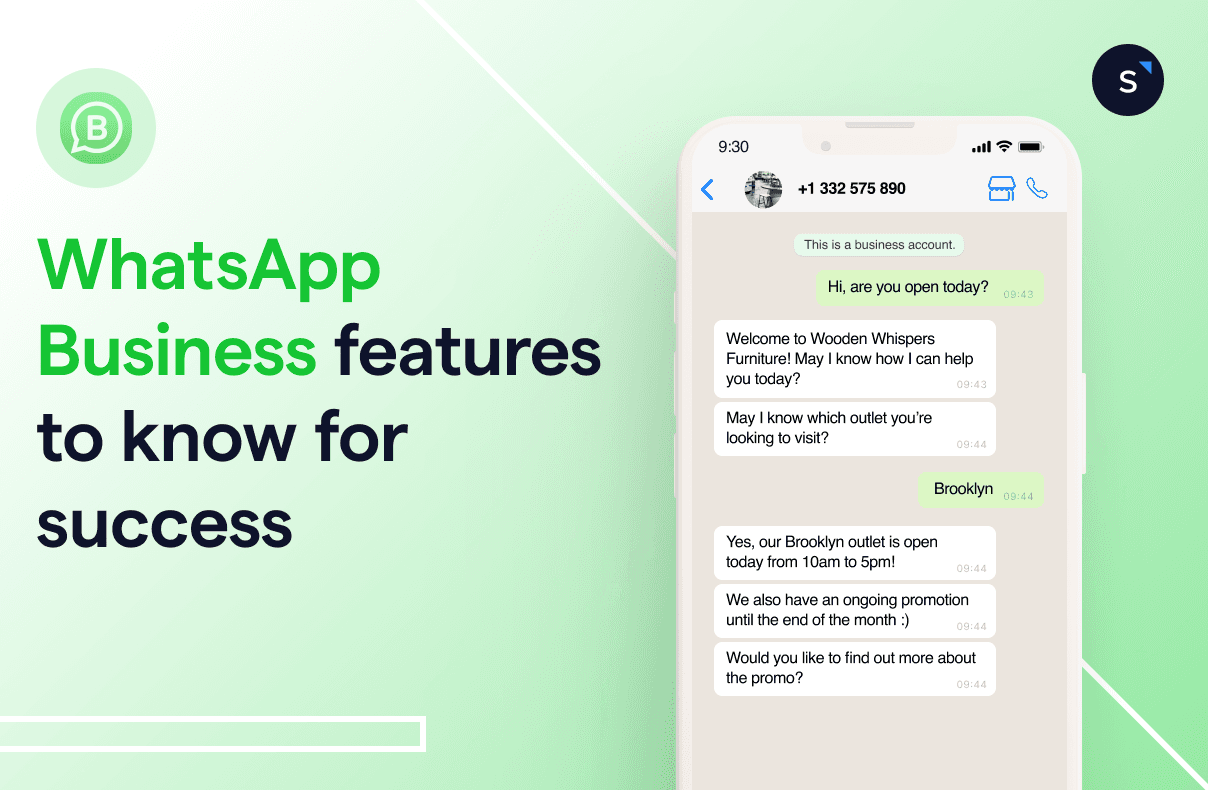
In response to the growing number of consumers contacting businesses through WhatsApp, the company introduced WhatsApp Business. This free app is designed for small and medium-sized enterprises (SMEs), offering features that simplify customer communication.
For larger corporations with customer support teams, there is the WhatsApp Business API. Unlike WhatsApp Messenger and WhatsApp Business, the API is a paid service, designed to handle thousands of messages daily and meet the needs of large enterprises.
Learn about the differences between WhatsApp Business App and WhatsApp Business API.
Steps to switch from WhatsApp Messenger to WhatsApp Business
Here is a step-by-step guide on how to convert your WhatsApp account into a business account. Follow each step to achieve your goal.
Step 1: Prepare a backup plan
The first step is to back up your WhatsApp Messenger before proceeding with the transfer process. A backup is necessary if you wish to keep your conversation history. You can find the Backup option under Settings > Chats > Chat Backup > Back Up. This method works on both Android and iOS smartphones.


Step 2: Download the WhatsApp Business app
Now, it's time to download the WhatsApp Business app on your phone. It’s available on the Apple App Store and the Google Play Store.

Step 3: Transfer the account and grant access
The transfer of your WhatsApp business account is now in progress. Keep your phone on and wait for the process to complete. Once it’s done, you will need to restore your account. Select "Restore" and then "Continue." Next, choose "Next." Grant permission to upload photos, videos, and files from your personal account to your business account.
Step 4: Create a WhatsApp Business account
Choose a profile photo and enter your business category and name.
Step 5: Set up your business profile
Create a business profile by providing essential information about your company. Add the necessary details under Settings > Your Business Name.
Ready to get started with WhatsApp Business solutions? SleekFlow is here to assist you.
Can you use your existing number or do you need a new one?
When switching from WhatsApp Messenger to WhatsApp Business, you have two options: move your existing personal number to WhatsApp Business or set up WhatsApp Business with a new number. This is an important distinction because many users assume they must get a separate business number from the start. In reality, you can migrate your existing WhatsApp account to the WhatsApp Business app and keep your chats, media, and contacts, as long as you follow the setup steps correctly and restore your backup if needed. However, the same phone number cannot be used on WhatsApp Messenger and WhatsApp Business at the same time.
Path A: switch your existing personal number to WhatsApp Business
Choose this option if you already use WhatsApp Messenger for customer conversations and want to turn that account into a business account. After downloading the WhatsApp Business app, verify your existing number and follow the migration steps. Once the setup is complete, your number will move from WhatsApp Messenger to WhatsApp Business, and you can continue using your existing chat history while unlocking business features such as a business profile, greeting messages, quick replies, labels, and product catalogs.
Path B: create a new WhatsApp Business account with a new number
Choose this option if you want to keep your personal WhatsApp account separate from your business account. This is often the better choice for business owners who want a dedicated work number from day one. In this case, you will register WhatsApp Business with a different phone number and build your business presence separately, while keeping your personal chats on WhatsApp Messenger.
In short: use your existing number if you want a simple migration, or use a new number if you want to keep personal and business communication fully separate.
What stays the same and what changes after the switch
Switching from WhatsApp Messenger to the WhatsApp Business app does not mean starting from zero. In most cases, you can keep your existing number and move your account to WhatsApp Business without losing important conversation history, as long as you follow the migration steps correctly and restore your backup when prompted.
What stays the same
When you switch to WhatsApp Business, you can usually keep:
Your existing phone number
Your contacts
Your chat history and shared media, if your backup is restored correctly during setup
This makes the move much easier for small businesses in the UAE that already use a personal WhatsApp account to speak with customers and want to turn it into a more professional business account.
What changes in the WhatsApp Business app
Once your account is set up, you unlock business-focused tools that are not available in the standard Messenger app. These include:
A business profile with your company name, description, address, email, website, and working hours
Quick replies for answering common questions faster
Greeting messages and away messages
Labels to organize customer chats
Product and service catalogs to showcase what you sell
These features are useful for businesses that want to improve response time, present a more professional brand image, and manage customer conversations more efficiently.
What you can no longer do
There are also a few important limits to know before switching:
The same phone number cannot be active on WhatsApp Messenger and WhatsApp Business at the same time
The WhatsApp Business app is designed for small teams, not large-scale customer operations
For multi-agent access, advanced automation, CRM integrations, and scalable workflows, businesses usually need the WhatsApp Business Platform
In short, the switch keeps your core account information intact, adds business tools, and gives you a more professional setup, but it also comes with limits that growing teams should understand early.
Why switch to WhatsApp Business
There are several compelling reasons for businesses in the UAE to switch from WhatsApp Messenger to WhatsApp Business. While WhatsApp Messenger is designed for personal use, WhatsApp Business caters specifically to business needs. Here are three key reasons: cost, benefits, and features.
Cost of setting up WhatsApp Business
One of the most attractive aspects of the WhatsApp Business App is that it is completely free. You won't have to pay any fees to use it. Additionally, it allows you to connect more closely with your clients and increase your revenue through enhanced efficiency and additional communication channels.
Benefits of using WhatsApp Business
The advantages of WhatsApp Business for small business owners in the UAE are clear, and these benefits extend to customers as well. Understanding how buyers benefit from businesses using WhatsApp Business is crucial, as customer satisfaction is the cornerstone of business success.
Here are some advantages of WhatsApp Business for your customers:
Business profile on WhatsApp: You can create a business profile with a cover photo, business description, catalog, and more.
Separate chats for personal and business Use: You can keep your personal and business communications separate, avoiding the hassle of mixing the two.
Messaging tools and automation: Customers who contact you during your designated unavailable hours will receive an automated response from your away message.
Features of WhatsApp Business account
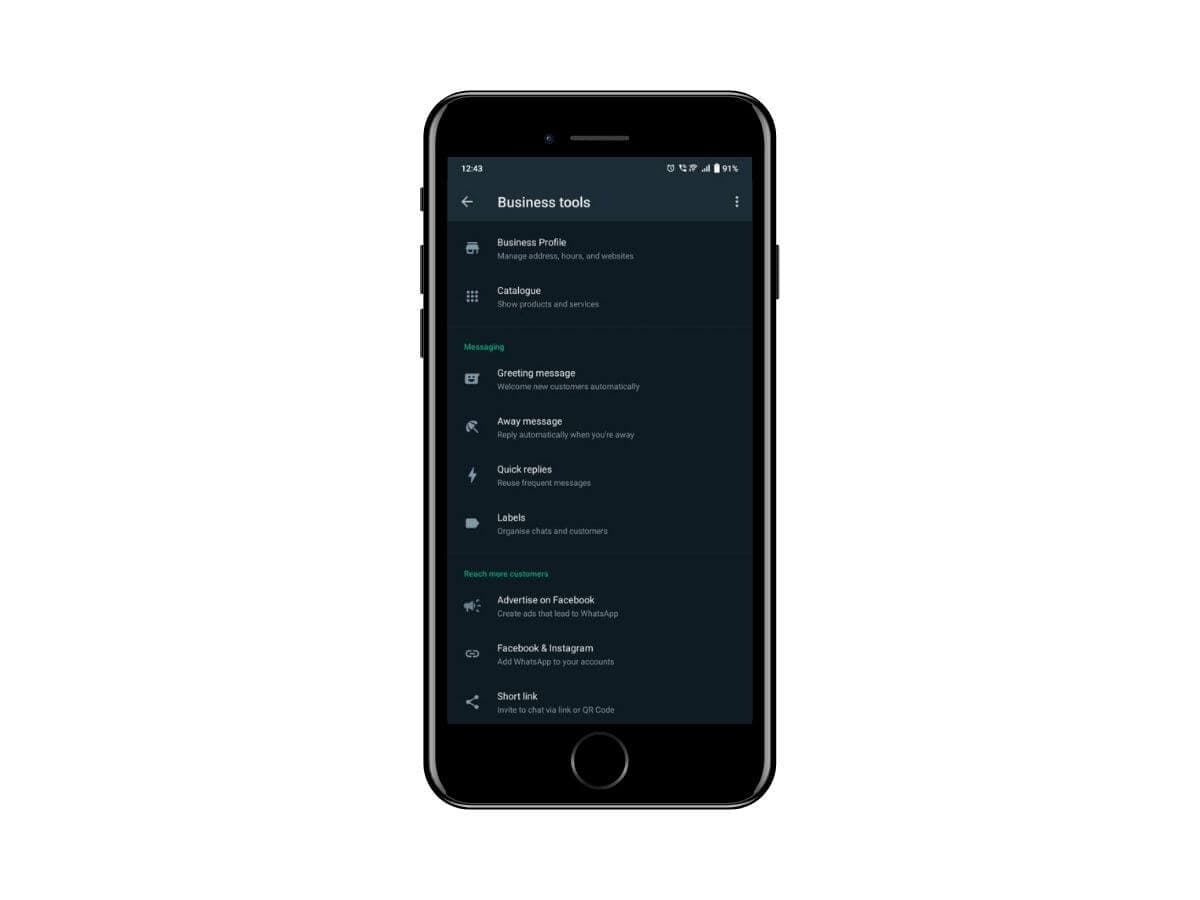
Now, let's explore some of the features that make WhatsApp Business highly efficient for business purposes in the UAE.
Company profile: Brands can use business accounts to build customer loyalty, giving the company a recognizable 'face' through a corporate profile.
Quick responses: Save and reuse frequently sent messages, allowing you to quickly respond to common queries.
Automatic greeting messages: Instantly greet and introduce your business to new potential customers without any delays.
Contact labels: Manage your contacts by labeling and categorizing them for easier access and organization.
Collections and WhatsApp Catalogs: Display your products in catalogs so customers can easily browse and inspect items they are interested in purchasing.
Read more about the WhatsApp Business App.
Switching from WhatsApp Business account to WhatsApp Messenger in the UAE
If you need to convert your WhatsApp Business account back to a regular WhatsApp Messenger account on the same Android or iOS device using the same phone number, follow these localized steps:
Step 1: Backup your data and uninstall the app
First, ensure you backup your WhatsApp Business data to avoid losing any important information. Then, uninstall the WhatsApp Business app if you intend to use the same number for your regular WhatsApp Messenger account.
Step 2: Download WhatsApp Messenger
Download the WhatsApp Messenger app from the Google Play Store for Android devices or the Apple App Store for iOS devices.
Step 3: Open WhatsApp Messenger
Launch WhatsApp Messenger and enter the phone number currently linked to your WhatsApp Business account. Complete the phone number verification process.
Step 4: Convert to regular account
After entering your phone number, a notification will inform you that this number is linked to a WhatsApp Business account. Confirm that you can register this number with a regular WhatsApp Messenger account.
Step 5: Verify with one time password (OTP)
Click "Continue" and an OTP will be sent to your phone number. Enter the OTP and click "OK" to proceed.
Step 6: Restore your backup
You will have the option to restore your backup from Google Drive or iCloud. Choose the appropriate option to restore your data.
Step 7: Personalize your account

Customize the app settings to your preferences, and your regular WhatsApp Messenger account will be ready to use.
By following these steps, users in the UAE can easily switch their WhatsApp Business account back to a regular WhatsApp Messenger account.
Transitioning to the new WhatsApp Business API

You have chosen WhatsApp as a communication channel, but you need to determine which application within the WhatsApp ecosystem is best suited for your business in the UAE.
Now that you've decided the WhatsApp Business API is the right messaging solution for your company, you might be wondering what an API is. An API (Application Programming Interface) allows apps to connect, share data, and shield users from the complexities behind the scenes. Applying for the WhatsApp Business API can be challenging, but with the right provider, it can be a smooth experience.
Read more about the Essential Guide on WhatsApp Business API
Additionally, the benefits of reaching out to your leads and clients where they feel most comfortable and receiving faster response times are well worth the effort. WhatsApp has the largest and most engaged user base of any messaging app, with 65 billion messages sent every day! This is the ideal platform for sending messages or making calls.
When to upgrade from the app to the API
If your business is starting to outgrow the WhatsApp Business app, the next step does not always have to be a full migration. Meta now supports WhatsApp Coexistence, which allows businesses to use the WhatsApp Business app and the WhatsApp Business Platform on the same phone number. This means you can keep using the app your team already knows while adding more advanced capabilities such as automation, reporting, CRM integration, and multi-user collaboration through a platform like SleekFlow.For growing teams, this creates a more practical upgrade path. Instead of changing numbers or abandoning your existing setup, you can adopt API-based workflows gradually and scale at your own pace. It is a useful option for businesses that want more control and automation without disrupting day-to-day customer conversations. Before enabling Coexistence, it is still worth reviewing the setup carefully, because some native app features may change after connection depending on the provider and implementation.
Common WhatsApp Business use cases in the UAE
In the UAE, WhatsApp Business is often used to manage fast, high-intent customer conversations across key industries.
Retail businesses use it to share product recommendations, send order updates, and promote new arrivals.
Clinics use it for appointment confirmations, reminders, and answering common patient questions.
Real estate teams use WhatsApp to qualify leads, share property details, and arrange viewings.
F&B businesses can handle reservations, delivery updates, and repeat-order promotions.
Hospitality brands use it for booking enquiries, pre-arrival messages, and guest support.
For smaller teams, the WhatsApp Business app is often enough for daily communication, while larger businesses may need the WhatsApp Business Platform for automation, routing, and multi-agent collaboration.
How can SleekFlow enhance your chat commerce game?
To use WhatsApp for lead generation, customer support, or boosting user interaction with a mix of live agents and chatbots, a WhatsApp integration API is essential. With SleekFlow, an official WhatsApp Business Solution Provider (BSP), you can achieve much more.
Get started with the official WhatsApp Business API today and elevate your chat commerce strategy in the UAE.

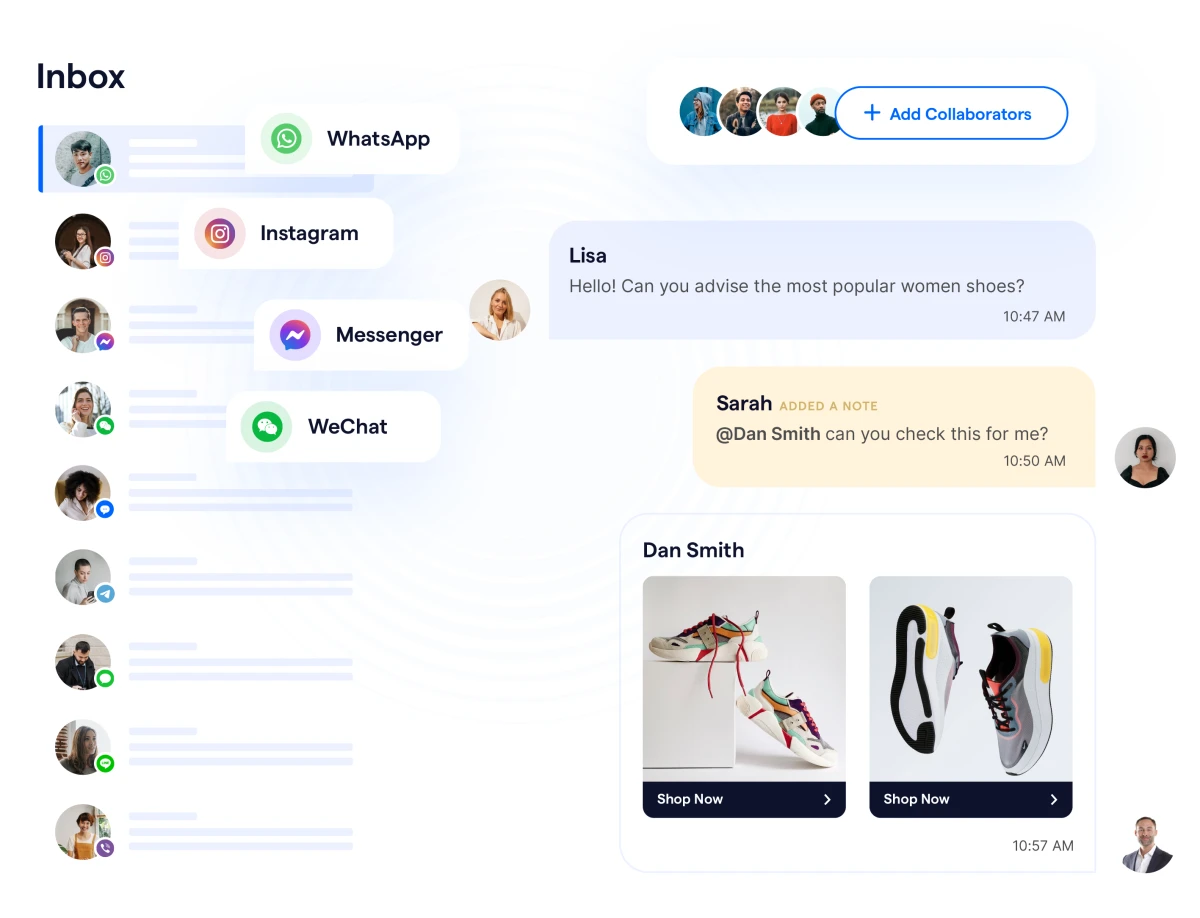
With SleekFlow, you can connect your WhatsApp Business account with other social messaging platforms like Messenger, Instagram, WeChat, LINE, and more, allowing you to manage all conversations in one centralized place.
To upgrade your chat strategy, leverage the campaign and automation functions. Launch customized automated campaigns to send targeted, personalized messages. SleekFlow also enables you to build chatbots to ask qualifying questions and answer frequently asked queries, significantly reducing response time.
Elevate your messaging strategy in the UAE with SleekFlow.
UAE use cases
Al Emad Car Rentals
AL EMAD Car Rentals, a UAE-based car rental provider, improved its customer communication by using SleekFlow to centralize WhatsApp and social media inquiries into one platform. With automation and omnichannel messaging, the company was able to respond to customers faster, manage higher conversation volumes, and increase active conversations by over 200%, helping improve customer support and drive more rental opportunities.
We needed one platform where customers from different channels could reach us in one window so we could respond as quickly as possible.


Afra Hussain
Customer Service
Read the full story of how AL EMAD Car Rentals improved WhatsApp customer support and omnichannel communication with SleekFlow.
JustPadel
JustPadel, one of Dubai’s early padel clubs and organizer of the UAE’s largest amateur padel tournament, improved its customer communication by implementing SleekFlow’s WhatsApp API and automation tools. By centralizing conversations, using chatbots for instant replies, and automating workflows, the club reduced customer response times by 70% and streamlined booking and inquiry management during peak periods.
Our response rate increased substantially thanks to the chatbot automation... Now we can instantly answer all inquiries with specific details about our services, even during peak times. SleekFlow provided a permanent, flexible, and easy-to-use solution.”


Youssef Nachet
Marketing and Sales Manager at JustPadel
Read the full story of how JustPadel Drives Seamless Customer Communication and Scales Bookings with SleekFlow.
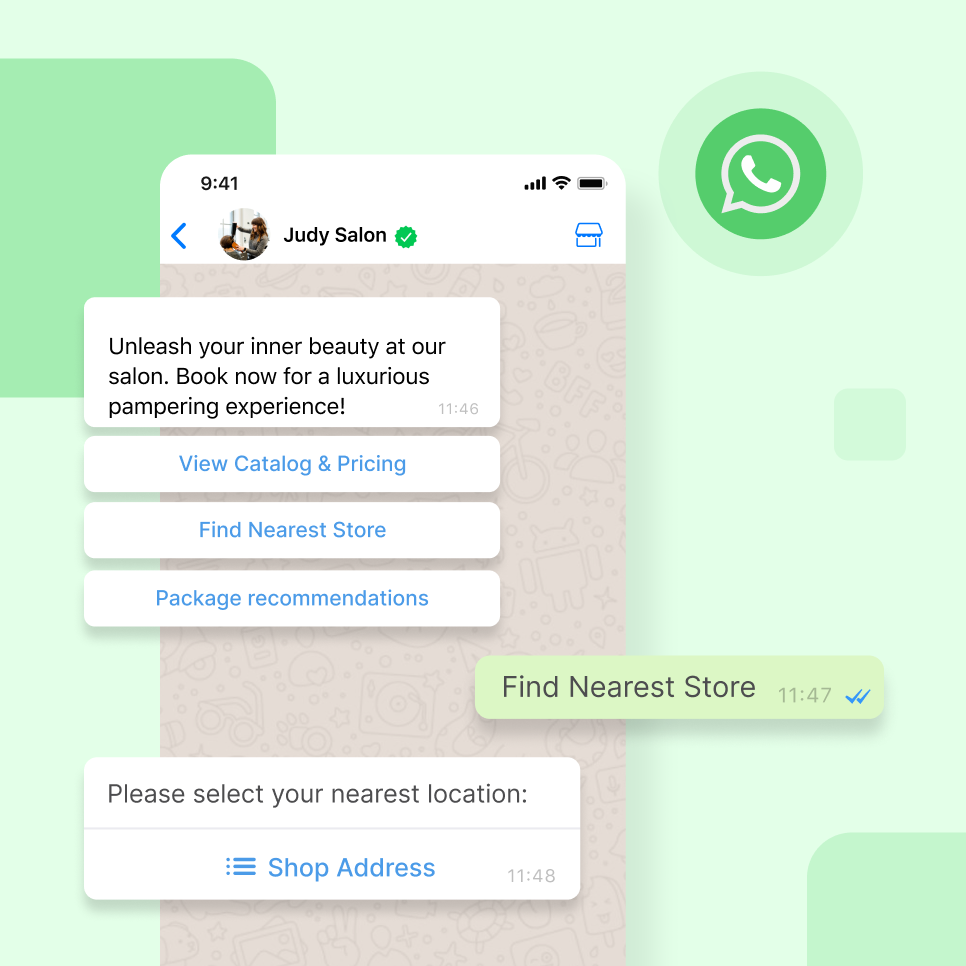
Discover the power of WhatsApp with SleekFlow!
Unleash your full potential with WhatsApp Business API. Your customers are waiting!
{{__phrase_share-article__}}